Hackathons are a way for a community to rally around a cause, to learn from each other, and to push collective work forward. Here’s some research on it. Hackathons are also about publicity and headhunting. Think about the last few hackathons you read about. The piece was probably about the winners. Hackathons are, in general, further the “one great man” narrative.
But feminist hackathons now exist. We wrote a paper on the 2014 Make the Breastpump Not Suck! Hackathon which was about exactly that. But one thing we didn’t get quite right in 2014 was awards.
So for the 2018 Make the Breastpump Not Suck Hackathon, we took a different approach. We made our objectives explicit and described how we would reach towards them by devising a strategy, putting that into a process, and then implementing. This post is about that journey.
Explicit Objectives
Awards are often used to reward the most “innovative” ideas. Prizes are often given out of the marketing budgets of businesses, based on the anticipated attention gained. In contrast, when I have given prizes at open access and disaster response events, I have focused on rewarding the things one’s brain doesn’t already give dopamine for – documentation, building on pre-existing work, tying up loose ends. Our goals for the MtBPNS award process were few, and at first glance could seem at odds with one another. We want to:
encourage more, and more accessible, breast pumping options, especially for historically marginalized populations;
support the burgeoning ecosystem around breast pumping by supporting the continuation of promising ideas, without assuming for- or nonprofit models; and
recognize and celebrate difference and a multitude of approaches.
Slowing down
There’s also an implicit “f*ck it, ship it” mentality associated with hackathons. The goal is to get a bare-bones prototype which can be presented at the end. But combatting *supremacy culture and ceding power require that we slow down. So how do we do that during a weekend-long sprint?
What’s the road from our current reality to these objectives, with this constraint?
Devising a Strategy
Encouraging more options and supporting continuation assumes support through mentorship, attention, and pathways to funding. Each of these could be given as prizes. Celebrating difference assumes not putting those prizes as a hierarchy.
Non-hierarchical prizes
First and foremost, we decided upon not having a hierarchy to our prizes. We put a cap on the maximum value of awards offered, such that the prizes are more equal. And, unlike last time, we removed cash from the equation. While cash (especially for operating expenses) is a vital part of a project moving forward, it complicates things more than we were set up to handle, especially in immediately setting up a hierarchy of amount given.
Strategic metrics
Half of our judges focused on strategic movement towards our objectives, and the other half on pairing with specific prizes. The strategic judges worked with our own Willow as judging facilitator and the MtBNS team to devise a set of priming questions and scales along which to assess a project’s likelihood of furthering our collective goals. You can see where we ended up for overall criteria here.
Awards offered, and who offered them
The other half of the judges were associated with awards. Each award had additional, specific criteria, which are listed on the prizes page here. These judges advocated their pairing with teams where mutual benefit existed.
The process we thought we would do
Day 1
Post criteria to participants on day 1
Judges circulate to determine which teams they’d like to cover
Map the room
Judges flag the 10ish teams they want to work with
Teams with many judges hoping to cover them are asked their preferences
Run a matching algorithm by hand such that each team is covered by 2 award judges and 1 or 2 strategy judges. Each judge has ~5 teams to judge.
Day 2
We hosted a science fair rather than a series of presentations.
Everyone answered against the strategic questions
Judges associated with a prize also ranked for mutual benefit
Discussion about equitable distribution
Award ceremony MC’d by Catherine. Each award announced by a strategy judge, and offered by the judge associated with the award.
Where it broke
The teams immediately flooded throughout the space, some of them merged, others dissipated. We couldn’t find everyone, and there’s no way judges could, either.
There’s no way a single judge could talk to the 40ish teams in the time we had between teams being solid enough to visit and a bit before closing circle. Also, each team being interrupted by 16 judges was untenable. The judges came to our check-in session 2 hours into this time period looking harried and like they hadn’t gotten their homework done on time. We laughed about how unworkable it was and devised a new process for moving forward.
Updates to the process
Asked teams to put a red marker on their table if they don’t want to be interrupted by judges, mentors, etc.
Transitioned to team selection of awards.
Made a form for a member of each team to fill out with their team name, locations, and the top three awards they were seeking.
Judges indicated conflicts of interest and what teams they have visited so we can be sure all teams are covered by sufficient judges.
Leave the judging process during the science fair and deliberation the same.
And — it worked! We’ll announce the winners and reflections on the process later.
There are many valid reasons to consider having an online meeting — maybe your squad is spread across multiple time zones or just different regions, or maybe you’re trying to foster a time of inclusive change at your org. However, with that optimistic reach for cohesion comes some real risk: online meetings are, inevitably, much more difficult to do effectively than in-person ones.
To host a successful online meeting, you’ll ideally have:
an agenda;
strong, uninterrupted connections for each attendee;
a conferencing system that allows for “hand raising” or other signals;
a place for notes to be taken collectively;
someone whose sole task during the call is dealing with technical issues (at least until the system and participants are tried and true).
Adjusting your own expectations is also a useful exercise. I think of online meetings as a block of time everyone has offered to spend attention on the topic at hand… not that they’ve agreed to listen, nor (if they aren’t listening) to speak. Maybe I’ve simply admitted defeat too early.
How to be remote
When it makes sense
If anyone on your team is remote, everyone on the team should act remotely. Sometimes we have 4 or 5 people of a 6-person team in the same room but on laptops for a Truss meeting. We do this because the moment meetspace is prioritized is the moment you’re not able to hear your remote crew. They matter. That’s why they’re your crew. Invest in noise-cancelling headphones and a reliable conferencing system.
When you simply can’t all be online, have a person in the room dedicated to watching for signals from the online crew that they want to speak, can’t hear, have questions, etc.
Temperature checks
It’s harder to gauge how people are feeling during a meeting when it’s not in physical space. Are shoulders slumped because energy is low or because proper posture at a desk is hard? Are people looking away because social media truly is a fascinating cesspool, or because they’re displaying the video on their other screen? WHO KNOWS. Here are some ways to read a digital room.
Optimize for how many people you can see at once. Zoom gallery mode works well for this. There’s even a special setting for sharing a screen on one screen and still having gallery mode on the other screen if you’re sufficiently decadent to have more than a single screen to work from.
Be sure to check in on people you can’t see. People still call by phone to video sessions; that’s part of their beauty. But not seeing someone’s face means not only are their reactions not included in temperature checks, but also that sometimes we even forget they’re there. Make a conscious effort to include them.
Set (and stick to) how people “raise their hands.” We often use the “raise hand” button in Zoom to help the facilitator keep stack. This is because, again, lack of physical bodies means a sudden lean into a camera might be someone getting comfortable, not wanting to jump into the conversation.
Some tools have options to use (or adapt to use) for polling, including Zoom and Maestro. These can be used for a multiple-choice question, for voting on if a proposal should pass, and for flagging technical issues.
Technical support
One of the most distracting and time-consuming aspects for the facilitator (thereby impacting everyone else on the call) is a participant experiencing technical difficulties. “Are they ok? Is it their setup or ours?” One of the easiest wins for online calls is to have a person dedicated to troubleshooting technical issues. While the facilitator moves the group towards the meeting goal, the troubleshooter can help everyone engage fully.
Agenda and what you ask of participants
Online meetings don’t have to be a time during which everyone half-listens-in while perusing parts of the internet with the other half of their attention (we’ve all done it). Your goal as facilitator is to offer opportunities for people to engage even when not fully listening to the speaker. Having other things related to the topic to work on assists in maintaining and regaining attention.
Collective note taking and asynchronous questions
In contrast to fully in-person meetings, where it’s reasonable (even vital) to ask people to put away their devices so their attention can be maintained, remote meetings take place on the distraction device. One of the best ways to keep people engaged is to ask for their help in documenting. Multiple people can take notes in one place, with others cleaning up typos or adding in links. This can evolve into a “live blog,” and/or will sometimes spark side conversations in nested bullet points. Both add depth and thoroughness to something that might otherwise be a bare-bones skeleton not much better than the agenda itself. Taking notes this way can lead to documentation like this.
Taking this approach also helps those who are joining late or having audio issues — they can follow along in the notes to catch up, or to read ideas they weren’t sure they heard correctly.
Breakout groups and other activities
Breakout groups and other activities can still happen when meeting online, it just takes a bit more planning and group robustness than doing it in person. Zoom and Maestro both have a breakout-room functionality, for instance, which allow you to randomly or directly assign people to rooms, to indicate when wrap-up times are nearing, and to regroup people. You might also set up jit.si or Google Hangout rooms in advance for breakouts, and include the links to the breakouts in your notes. Asking people to maintain documentation from these breakout sessions in the main set of notes ensures a cohesive understanding is still maintained across all groups.
Activities such as spectrograms can also be adapted to online space – when using collaborative note taking, put a grid into the space, like so, and then have people move their cursors if visible (Google Docs) or mark an “x” if highlighted by color code (etherdocs) based on where on the spectrum they “stand.”
We’d love to hear how you engage with folk in online meetings – it’s a growing art form, and we’re still wet behind the ears ourselves!
suggesting when to deviate from (or go without) an agenda.
By including better facilitation practices in more aspects of your work, group dynamics will improve overall and everyone can focus on the actual work at hand.
Skill Shares
The more team members in a room know how to facilitate, the easier the conversation can be. Two ways to increase capacity in your organization are by mentorship and encouraging behavior which allows a group to facilitate itself.
We already talked a bit about how to mentor other facilitators in Well Met: The Facilitator, but it merits a deeper dive. To mentor other facilitators, first look for the helpers. Ask folks who see others raising their hands, help get a conversation on track, etc to review agendas with you. If they’re interested in trying out facilitation, backchannel while they or you facilitate, and debrief afterwards.
To get a group to be better at facilitating itself, ask folks to cue the person who comes after them in stack. Then, encourage people to self-regulate for time and how many points they make (one of the “Rules of 1”). Finally, work to get folks to cede the floor to someone who has spoken less than they have, often by prompting a quieter person with a question.
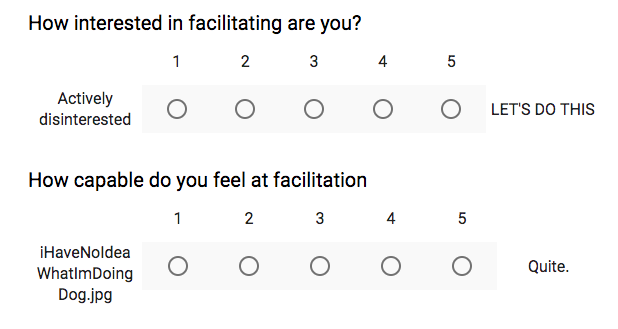
At Truss, we ran a quick 2-question survey to pair those interested in facilitating with those who already feel comfortable doing so. We stagger by skill level, so everyone has a chance to be in both a supporting and lead role.
We are Very Serious People.
When to deviate from the agenda
In Well Met: The Meeting Itself, we talked about how to create an agenda and then facilitate from that arena. This is an important and useful thing to do for a good long while, if not indefinitely. However, if you find yourself thinking “oh, I know what would totally work better instead!” and you’ve built trust with the group, it’s time to deviate.
My agendas, while well planned, often get tossed out within 5 minutes of any meeting starting. It’s similar to agile practices in that way – the preceding research and planning gives a solid sense of what problems are being solved and awareness of the context; but flexibility to adapt (or throw out) a plan based on what is most needed in the moment of action to achieve those goals. Because you’ll have facilitated many different sessions at this point, and tried out a lot of different facilitation practices, your toolbox and skill will be substantial enough to try something that seems more appropriate in the moment than your plan.
Taking a self-assured, but mildly cavalier approach to this is one successful approach to getting group buy-in for these deviations. “Well, I thought we were going to do X, but now that’s not going to help us get where we need to be, so we’re going to do Y instead. Any concerns about that?” while making eye contact to assess before moving on works well. Also sometimes “Wow Past Me has some terrible ideas. We clearly don’t need this entire next section in order to achieve our goal. Let’s skip it and save some time, shall we?” This needs to always be coupled with a reminder of what the goal of the meeting is, to keep all conversations on track.
Sometimes, if sufficient trust has not been built up, people will take this opportunity to discuss how the discussion will happen. Time box this and move on when the time box is done.
Other times, in groups with a particularly high level of trust, I won’t even share my agenda, which gives me leeway to adapt without making excuses. That said, I will have absolutely made at least one agenda in advance.
Where we’re going we don’t need agendas
And then sometimes there’s so much confusion about a topic that the meeting itself is to resolve the confusion. In which case it’s highly unlikely you get to have a traditional agenda. If this is the case, have a solid sense of who needs to be there and how the conversation might start. You might discover other folks are needed partway through, or that someone could be using their time better elsewhere. Apply the “law of two feet” here and let folks leave if they’re not needed.
As your comfort in facilitation grows alongside your activity toolbox, your ability to adapt in the moment will likely increase. To gain the benefits of that increased skill, allow yourself more flexibility while building out a stronger overall capacity in your organization. By
offering structure by which to share skills and
suggesting when to deviate from an agenda,
group dynamics will improve overall and everyone can focus on the actual work at hand.
We’ve all been in dead-end meetings. No matter how dedicated and efficient your team is, a few bad meetings can derail their productivity and, even worse, their morale. In the next post of our series on maximizing the value of meetings, we talk about one of the aspects of a good meeting: the facilitator.
Practice the techniques highlighted in this series to:
increase the effectiveness of meetings;
decrease the number and duration of meetings;
build team cohesion;
cross-pollinate information across teams; and
do so in a way which leads to new insights otherwise left buried.
It’s a lot to take on. Plotting a course for effective meetings means setting aside time to discern if a meeting is actually needed, preparing for it, and assigning a dedicated person to facilitate the meeting. An important thing to note is that facilitators will participate differently in in a meeting. Experienced facilitators have a responsibility to not add their editorial opinions, and beginners may have a hard time facilitating while also joining a conversation.
Project managers as facilitators
In Waterfall, big plans are defined, then staff are tasked with executing a predetermined set of requirements. Project managers are responsible for tracking if individuals or departments are meeting deadlines such that the entire Gantt Chart stays on track.
In lower-case-a-agile, we see the project manager as facilitator rather than task tracker. The project manager should be primarily focused on creating uninterrupted time for the team, while also keeping an eye out for when sharing information would make that working time even more effective. This means the project manager should already have an eye out for meetings that would benefit the team and guard against those that won’t (our first post in this series). The project manager should have their finger on the pulse of what folks are up to so much of the work for agenda prep is already done (our second post in this series). Because agile team members are entrusted with finding the best route to solving a given problem, the project manager’s goal is to open and maintain the space for meaningful conversations, which points to the facilitation aspect of useful meetings (also the second post).
In short, at Truss we are structured to put project managers in the best position to uphold the responsibilities put forth in this series. But it’s not just on them.
Increasing facilitation capacity in your org
Facilitation is a core component of being a servant leader. But just as with any attempt at organizational change, it’s difficult for a project manager to come in and implement all this. A nurturing environment cultivated by the leaders of the organization means facilitation as a skill can build up throughout the organization. For this reason, when a project manager is unavailable, we tend to lean toward someone with experience in facilitation, and who doesn’t have a personal stake in the meeting itself. This could be an engineering lead, design lead, product manager, business lead, or founder. They often have additional authority and responsibility to a client.
Project managers can’t (and shouldn’t) be in every meeting. Whether there are multiple meetings happening at once or it just doesn’t make sense for the project manager to attend, other folks in the organization should also be upping their own facilitation game through facilitation mentoring. Project managers can support this by guiding a mentee through the agenda-building process, backchanneling about facilitation practices, flagging issues during meetings where a mentee and facilitator are both present, and debriefing afterward about questions or concerns.
Why would I want to be a facilitator?
To do so helps everyone make equitable space for others, amplifying the voices that might otherwise go unheard and the fountain of good ideas which accompanies that.
It also makes meetings go that much more smoothly, as the team is thinking about how to be effective and inclusive while maintaining focus on the objective. Learning to watch for signals and respecting stack can be distributed across the group, which helps everyone manage themselves.
Bad meetings, like bad policies and negative environments, are tractable problems. By following the techniques highlighted here around determining when to have meetings, how to prepare for them, and how to facilitate, your meetings can be worth the context switching they require.
Good facilitation allows you to have fewer meetings, and the ones you do have will:
Everyone has been in a meeting that made them wonder, “What am I doing here?” While a meeting can be a productive way to drive a project forward, many meetings are the opposite—they disrupt productivity and waste valuable time. All it takes to ensure that a necessary meeting doesn’t go off the rails is a little bit of planning and someone to facilitate the process.
The first part in this series covered the hows and whys of determining that a meeting is necessary. Once you know you need one, it’s important to make the best use of everyone’s time. This requires some preparation in advance, and active attention to keeping the meeting on track.
Create an Agenda
Building an agenda is the most important, difficult, and fungible part of meeting facilitation. Here are the steps to developing a solid agenda:
What concrete outcome do you need to get out of the meeting? You should be able to say this in one sentence. It should be the name of the meeting, and be included in any correspondence related to the meeting.
Create a plan. Consider where the group is now (point A), and where they want to end up (point B). You likely need to talk to other people in order to figure this out.
Identify your requirements and blockers. What would need to happen to get from point A to point B?
What is your strategy for tackling these challenges? Pick activities that will help achieve the concrete outcome needed to get from point A to B. Search the internet for “facilitation activities” for some suggestions. A few of our favorites are:
Spectrograms to explore just how divisive various issues are.
Vizthink to externalize systems in people’s heads in a way that allows progress to be made.
Breakout groups to allow more people to be heard about a topic.
Who are the leaders who can push this project forward? To push power outward, you’ll ideally work with a different person to lead each part. This isn’t The [Facilitator’s Name Here] Show
Time management is the hardest thing to get right at first. Here are some ways to effectively manage meeting time:
Pad for time.
People will show up late. Decide how long you’re willing to wait (keep in mind waiting wastes everyone else’s time and sets a bad precedent) and stick to it. People will show up on time more often if they know you start on time and meetings are valuable experiences.
A/V will break. Showing up early to troubleshoot can save others time, but you can’t fix the remote setup.
Folks will want to dig into questions that matter, and having some extra time allows this to happen.
Remember to have time to open and close. Rituals matter!
If you are new to facilitation, your agenda is your guide. The signposts you set in advance will help you remember how to get where you’re going when matters inevitably become complicated. As you become more experienced and gain trust, the agenda becomes more of a thinking exercise so you can adapt in the moment.
Facilitating
You’ve done all the work, you’re ready to try out your well-crafted agenda, and people are on the call or at the table (hopefully on time). What do you do now?
Set expectations around communication. Two suggestions we have found the most useful are:
Demonstrate respect for each other (and the clock) at all times.
Follow the Rules of 1:
Make 1 point and pass it on. This distributes the conversational load across more people, which means more people get heard from.
1 diva, 1 mic. Only one person should be speaking at a time, which prevents people speaking over each other, difficulty hearing for those dialing in, and gives equal attention to all speakers.
Have 1 empty chair at the table/1 available slot for call-in. This makes it welcoming (and non-disruptive) for that latecomer (or someone from a different breakout session) to join you.
Speak 1/Nth of the time. If you’re quiet, know people want to hear from you. If you’re gregarious, dial it back a bit to make room for others.
Once you’re comfortable with those, consider adding in hand signals (Zoom and Maestro also offer approximations). These can save time by getting a “temperature check” on how the team is responding to a current thread without needing to hear from individuals one-by-one.
Aspiration, an organization focused on building technical capacity for nonprofits has some pretty great participant guidelines that are useful to adapt to your own circumstances.
Take “stack.” People signal to the facilitator or the stack keeper when they’d like to speak up in a discussion. The facilitator might call on people in the order they signaled, or they might change the order to have more equal speaking time based on the stack and to account for folks who have spoken less.
Stop a speaker from going on too long. (You’ve already made this OK to do if they make more than one point or if they speak more than 1/Nth of the time.) You can do this through body language, hand signals, and directly speaking to the person.
If people get into eddies of conversation (this often happens with two people going back-and-forth, rather than the group being engaged), push for a choice to be made, or if that can’t happen, clarity to be reached. This will encourage the discussion to move forward to a place where ideas can be tested by coming in contact with reality. If people truly need more time, offer to schedule a meeting specific to that topic (with a concrete outcome) so people can return to the subject at hand.
Who should be responsible for all this work? In the final part of this series, Well Met: The Facilitator, we’ll talk about what makes a good facilitator and how to choose the right person for the job.
We’ve all been in bad meetings. And no matter how great your crew is, bad meetings waste time and can degrade the culture you’ve worked hard to build. We’ve talked before about which meetings are worth having, now it’s time to dive into how to get the most out of those meetings. Doing so will:
increase the effectiveness of meetings;
decrease the number and duration of meetings;
build team cohesion;
cross-pollinate information across teams; and
do so in a way which leads to new insights otherwise left buried.
To reap these benefits, utilize the guiding principles in this three-part series for useful meetings: determining whether you need a meeting, building an agenda and facilitating, and choosing the right facilitator to ensure everything runs smoothly. In this first part, we’ll (re)cover some of the ways to be sure the meeting you want to hold is worthwhile.
Any scheduled event is potentially disruptive to a colleague’s flow. Meetings can be a waste of time and, even in the best case scenario, often require context switching. It’s important to make sure you actually need someone to do something synchronously with you, rather than calling a meeting for something that be fit into their own flow asynchronously in a more optimal way.
When it makes sense to have a meeting
The following circumstances are worthy of a meeting:
When something can’t be decided on asynchronously – A chat (like Slack) just isn’t working. Something is being lost in tone or the information being gathered and the team would benefit from more mediums of communication (visual, verbal, physical) happening all at once.
When something has been decided, but there needs to be a group status update to move on to other things – Sometimes, everyone knows the status of a project, but they don’t know that everyone else is on the same page. This can lead to concerns about leaving someone behind and cause a slow the velocity of the project. A recap meeting that ensures that everyone is aware of what decisions are set allows the team to collectively move on to the next phase.
Distributed self-coordination – Instead of reading documentation, sometimes it’s more efficient to have a rapid-iteration conversation about where to go to next, together. This example is similar to scenario #1 with a splash of #2.
To build team cohesion – Asynchronous communication with occasional one-on-ones just doesn’t keep the whole team together. Sometimes the team needs to get together to learn from each other, and to realize just how in alignment they already are. This scenario is mostly #2 with a splash of #1.
When you shouldn’t have a meeting
Some “meetings” do more to waste time than to move a project forward, leading to a lot of frustrated team members. Here are some signs you’re not having a meaningful meeting:
You’re reading together – There are some folks who just don’t read materials they are sent. Whether they don’t have the time, the material is irrelevant, or they don’t like reading doesn’t matter. What matters is that someone has just disrupted another person’s flow to insist they come and read this thing right now, in a “meeting.”
You’re listening to one person speak – If you want to give a presentation, own it! But a presentation can be ingested just as easily via a video or audio recording as it can in person. Again, don’t disrupt people’s flows.
You’re hearing people talking about things they already know – This isn’t a meeting, it’s a panel discussion. The same principles apply as listening to one person speak. If you’re not up to adapting to your audience or working with them to get somewhere new, just record it. The knowledge is still useful, but the disruption of other people’s flows is not.
On the other hand, question and answer sessions after reading, presenting, or paneling do make sense to do interactively, so it’s worth it to call a meeting after the above non-meetings to share ideas.
Useful gatherings that are not meetings
There are times when it makes sense to meet with someone or a group that don’t fit the parameters above. They include:
Conversations – These are great, but trying to facilitate them with the meeting-level rigor suggested in this series will not make you popular amongst your peers.
Celebrations – While some programming is useful, celebrations are organic things that don’t need any more structure than they already have.
Skill shares – Vital to upping skills and building relationships, these also should be a bit more organic than what is described in this post.
Some of the same principles will apply, but these gatherings are not what this series focuses on.
Why are we doing all this?
Bad meetings, like bad policies and negative environments, are tractable problems. By following the techniques highlighted here around determining when to have meetings, your meetings can be worth the context switching they require by being impactful and more effective, building team cohesion, and leading to new insights that would otherwise be left buried.
OK, let’s say you definitely need this meeting. The next step is to be sure those meetings matter through agenda building and facilitation. Discover how to utilize these strategies in part two of our series, Well Met: The Meeting Itself.
In the world of disaster response, teams engage in something called a “hot wash” after each deployment. If something went wrong, we ask ourselves: How could this have been prevented? It’s a question that helps us mitigate crises rather than simply respond to them. Sometimes, if a responder is about to do something particularly ill-advised, say in a social context, another responder will ask them, “How could this accident have been prevented?” as they walk towards potential harm or embarrassment.
As someone who has done crisis response for the past eight years, the pre-mortem we held on my third day at Truss made me feel right at home. It was the last day of an intensive kickoff event for our DOD project (more about how we won that here). Our engineering architect Nick Twyman led the assembled team in a session to brainstorm issues which might be severe enough to tank the project. He opened with the prompt, “Imagine you’re presenting to the entire company 12 months from now and must explain why this project completely failed.”
Engaging in this practice:
Surfaces potential issues before they become problematic.
Prevents team members from suffering in silence or needlessly worrying.
Replaces reaction with strategy.
We’ve already benefited immensely from this practice. For instance, we learned to identify and engage early with stakeholders who otherwise might have been invisible until too late. This has allowed us to pay attention to serious concerns while also staying focused on the emerging roadmap for the project.
Where did this idea come from?
Our CTO, Mark Ferlatte, learned about the practice from Daniel Kahneman’s book Thinking Fast and Slow. He noted that it “felt incredibly weird the first time you do it.” The book covers different modes of thinking and responding to what feels immediate versus the strategic, tricks to help you move from reacting to planning, as well as how to be self-aware when in difficult conversations.
We’ve developed our own flow for pre-mortems, and have benefited in various ways. In one instance, the team indicated that they were feeling unsure about being able to track things properly. This feedback resulted in an ad hoc training session on our task tracking tool with positive results.
How do I do it?
You, too, can avoid delays, derailments, and failures by following this process. Whether you refer to it as “forecasting” or “generalized anxiety,” there are a few simple steps.
First, think about when it makes sense to have a pre-mortem. We do ours at the end of a project kickoff (when folks have the project fresh in their minds but haven’t yet started building habits and opinions about how things “should” be). You can also run more than one for any given project. It’s particularly helpful to do during sprint planning sessions or prior to irrevocable commitments (before we sign the contract, before we begin execution on the contract, before we go live with the product).
Don’t lead the session by asking a broad question like: How might this go wrong? Instead, be very specific. We used the prompt mentioned above, emphasizing two important factors. “Imagine you’re presenting to the entire company 12 months from now and must explain why this project completely failed.” These two aspects helped people move beyond generalized anxiety and into thinking strategically about what they are unlikely to be able to adapt to themselves. In a larger group, give everyone sticky notes and about five minutes to write down their thoughts, then group their ideas into categories while reading them out loud. In a smaller group, take a minute or so to think about it, and then go around in a circle to hear what folks came up with.
Some of the concerns raised might not surprise you. Ideally, you’re already mitigating risk around the topics some people bring up. Sometimes, though, someone will say something new or extremely obvious and scary (for example: “None of us have ever published a book” when the project is to write a book). Mark treats these concerns very seriously and attempts to mitigate them as quickly as possible (for example: hire an agent to help us navigate book publishing).
We found that those obvious and scary observations were more likely to come from junior rather than senior employees. Senior people often overlooked obvious risks because they had “always managed before.” Junior team members were justifiably concerned when they felt like the project was missing key factors, but they wouldn’t speak up if their concerns were dismissed. Yet another reason to be sure your environment is open and safe for employees to voice their concerns.
Good luck out there!
Pre-mortems are a tool to start thinking about the future and to do so strategically rather than reactively. This helps teams avoid pitfalls and focus their work. Pre-mortems are easy to hold and can happen at multiple points during a project’s lifespan.
May all of your difficulties be novel, and good luck out there!
We have been working on a map of the digital response ecosystem here at Aspiration. While we still have a ways to go, I wanted to pause to reflect on why we are working on it and some things I have learned along the way. If you’re so inclined, the closing section includes a request for feedback and a way to be in touch.
The current state of affairs
Disaster and humanitarian response happen in a chaotic and low-information environment. Even if historical context, accurate maps, and up-to-date data existed before a shock, an extreme event will have disrupted that baseline in dramatic ways. Response organizations deploy into these environments seeking what we call “situational awareness,” sometimes wondering about who to ask about the location of vulnerable persons, other times wanting to know which roads are still navigable. In order to know more about their physical and logistical environment, many response organizations and community groups are beginning to make use of digital tools. There are also digital tools which allow us to do truly new things in addition to information gaining and sharing. Digital tools might be in the form of crowd-sourced maps about needs and outages made from Twitter updates with hashtags, or images composited from a drone for an overview of an affected region for locating the most damaged areas, or heavy statistical modeling based on datasets from multiple sources for more precise resource distribution. The introduction of these new people, processes, and tools for digital response can increase the chaos of response or alleviate it.
Official and specialized actors such as United Nations Office of Coordinated Humanitarian Affairs (UNOCHA) and the International Federation of Red Cross and Red Crescent Societies (IFRC) stand to benefit from the new skills of digital tools and the processes they enable when they are able to fold these new tools into their existing structures. When they are able to do this, we all benefit from their increased capacity. Frontline populations in affected regions continue to use digital tools like Signal and Facebook to organize themselves and coordinate response. Community groups such as churches and schools are using their existing digital community infrastructure to organize larger local relief efforts. Digital responders help to clean, structure, and utilize the massive amounts of information generated in times of crisis so those in the midst of the chaos can have more visibility to the requests, offers, and other factors in play around them.
Is there any signal in this noise?
What does this flurry of activity look like, and how can it be improved? How can we someday make crisis response boring? What are the patterns in who does what, when, and how do they coordinate with each other? While some official organizations have name-brand recognition, there is little understanding of local, emerging, and digital sectors. Their contributions and challenges are often rolled up into the official response organizations’ documentation, if it is documented at all. The flows of information, communication, and other aspects of coordination are poorly understood, even by those within the ecosystem, and especially in regards to the smaller and newer groups. Is it feasible to have a roster of all local groups with capacity related to response? Who would build it and keep it up to date? Would we trust the data it contained? It is this complexity which is partly to blame for official response organizations not being able to have situational awareness and to relatedly struggle to meet local needs. So when an extreme event happens, groups spin up locally and remotely because of pressing need and the invisibility or inadequacy of pre-existing response groups. Those new groups persist, morph, merge, or dissolve through response and recovery phases of the disaster cycle. It used to be standard for several hundred response groups (pre-existing or otherwise) to respond to a crisis. Four thousand responded to the Haitian earthquake. The desire to involve technology in this mix has increased the number of factors to consider by adding in tools, active remote and local people, and even new abilities. Most people also point at the 2010 earthquake in Haiti as the first instance of digital tools making a discernible impact in crisis response. While this is a moment of potentially increased chaos in a space sorely needing alignment and sharing, it is also a moment of potential. What if we bring our ideals of openness and co-equality to the table? What if we trust the network (frontline community members, official responders, volunteers, remote assistance, etc.) to understand and sort itself out, adapting to challenges as they emerge?
Making the invisible visible
With acknowledgement that the digital response ecosystem is a living and changing thing, a map of it could provide a shared view of current actors, the tools they use, the data generated and used by those tools, and the resources we build from and contribute back to. Our hope is that this shared view might help us to provide better ground for refining information flow, to discover possibilities for collaboration, and to devise shared infrastructure. We could thus begin to think more holistically about response, get insights into how to make response infrastructure and mechanisms more sustainable and scalable, and be able to easily share an overview to newcomers or other interested parties. It is with these hopes that we started asking for help in building a map of the digital response ecosystem. Through calls with allies and structured activities at Humanitarian Technology Festival, HumTech, the Doctors Without Borders Logistics Day, and at the June 2016 Digital Responders’ Meetup, the map is slowly beginning to take shape. Here are some things we have learned along the way.
This is a volatile space
Crisis response is by its very nature generally unpredictable. A rare caveat are hurricanes, as our weather science is getting better and better so we can approximate their strength and direction. But because we still do not understand what is going on with the earth’s crust and seas, earthquakes are still widely considered impossible to predict. Droughts are often just as political as they are about complex environmental factors, so anticipating them is somewhere in between. This means it is difficult to get any sense of predictability to rely upon or plan within for crisis response. Our data model needed to factor in the components which trigger a response group deploying or emerging from a frontline community. Activation could be based on geography (local, regional, national, international), based on the part of the disaster cycle, or based on an explicit request (from an international agency, national or local government, or a community group). Some groups (like Doctors Without Borders) are not activated from external cues per se, but instead based on their own mandates. And each of these groups focuses on different topics, ranging from accountability to mapping to data sharing to telecommunications infrastructure. To try to show connections and flows between these different entities which also bridge geography and time cycles can be somewhat daunting! Too much granularity and the whole thing is overwhelming, but too little and no patterns can be picked out.
Our sharing gaps are significant
Open (and responsible) data, libre source code, and collaboration are heavily advocated for in humanitarian and disaster response. We often hope to work miracles on shoestring budgets and with little awareness of what our comrades are up to. With a few shining examples such as Kathmandu Living Labs in the 2015 Nepal earthquake and Crisis Cleanup for Sandy, efforts to share our knowledge and intentions with each other are more often stymied than not. It is a common story that the country office of one international response nongovernmental organization does not know how (or even what) the office in another country is doing. This means it is even less likely their partner organizations or other groups in the same deployment know what they are up to. During a crisis, sharing and communication occur by force of function, but also in hugely inefficient ways because other priorities are at hand. UNOCHA has done a lot of work in this space, making it easy for deploying groups to upload and view data in a shared space through the Humanitarian Data Exchange and the Humanitarian Exchange Language, along with their traditional Cluster Approach. However, much of this work is targeted at established and dedicated response groups who know how to look for each other and have potential funding infrastructure which requires their collaboration. The smaller, ad hoc, and digital response groups do not have the context or infrastructure for their sharing and collaboration amongst themselves nor with larger response groups. There is still a lot of work to be done in sharing data and plans within and between organizations, across different parts of the response cycle, as well as with local community groups.
Who will (and can) show up changes
Because there are so many factors in who can deploy where, when, and why, investing the time in building relationships and channels for communication and sharing could be seen as a waste. It is even more impossible to have a plan that will be of any use in this circumstance than in nearly any other, and to rely heavily on rigid plans rather than adaptability is a recipe for disaster. But planning is still necessary if we are ever going to get better at response than we are now. Rather than rigid plans and expectations, we can instead focus more on the sorts of response groups that show up, the types of local groups which emerge, and the patterns of their interaction. Resources for these categories and personas have to be generalizable enough to be used, improved, and updated by anyone in that category or of that persona. Mapping the ecosystem is not just about having an easy-to-approach description of the space, but also about discovering the most strategic communally-held resources to create (or to find and share).
We would like to thank all the folks who have already spent so much time and energy on this concept with us. I have especially benefited from conversations with Devin Balkind, as well as referencing past collaborations he had a huge hand in, namely Aid Badges and Resilience Colab. Heather Leson has been a huge contributor and supporter. The attendees of Humanitarian Technology Festival, the hallway conversations at HumTech, the participants of the Doctors Without Borders Logistics and Clinician Day, and cohorts at the June Digital Responders’ Meetup have also added a great deal of information and structure to this data. Because we are doing this together, it can grow beyond a proprietary or bottlenecked resource into one useful for the entirety of the space.
After HumTechFest and the Humanitarian Technology Innovation Conference, I headed up to Toronto for the Doctors Without Borders (Médecins Sans Frontières / MSF) CanadaLogistics Day. This is a day where MSF showcases and explores the ways they currently (and potentially could) do logistics. This happens in tandem with the Clinical Day, where the doctors, nurses, and other clinicians of MSF share their technology and practices. I have been a big fan of MSF for years — their delivering basic human services into regions generally abandoned by anyone else shows a level of dedication and gumption I find admirable. Medical service delivery to these areas comes with challenges even beyond standard response. Public attention has often waned, leaving a gap in funding, donations, and international accountability. Stigma is often attached to those gaining access to basic human rights, as MSF provides medical care to civilians and militants from all sides of a conflict. Many of these regions are extremely remote. The doctors and nurses delivering these services are called medics, and the folk who back up the medics are logisticians, sometimes called “Logs.” Both sets work remotely for some tasks, while other tasks require them to be in the field. The set of Logs and Clinicians in the field and remote are linked together through communication and practice, often facilitated through technology.
One of the reasons I see MSF as so amazing is because everything they do puts the patients first. The rest of their logistics, technology, and even governance systems are designed outwards from that. Any new technology is assessed in a highly pragmatic way including questions like “what impact is it likely to have?”, “what is the failure mode?”, “who is already doing this?”, “is it worth the overhead of asking skilled practitioners to learn this new thing?” It was from this progression to the the Plateau of Productivity in the hype cycle that we looked at 3D printing and then did an overview of many different technologies, including contributing to our ecosystem map of the digital response space.
An honest look at 3D Printing
I have to admit I am hugely skeptical of the promise of 3D printing. While I lived in Seattle, there was a friendly competition between Mark Ganter at UW in what strange materials he and his students could make work through proprietary machines versus the hacked-together machines themselves produced out of Metrix Create:Space. This framed my understanding for what intellectual property battles were being fought around machines and material, how to think about material science as related to structural integrity, and what (if any) actual utility beyond prototyping 3D printing might provide. So when my host Chris Houston at MSF indicated 3D Printing was to be a topic at MSF Log Day, I balanced my desire to be skeptical with my trust that MSF is made up of realists. I was not disappointed.
Manufacturing
Let us say you are a field practitioner working at an MSF hospital in Afghanistan. If the brackets on a baby incubator break, the entire expensive and needed piece of equipment becomes a doorstop because one of the walls that would keep the baby from falling out will not stay up. To work with your Logs to get a new set of brackets possibly requires
order forms to be filled out with specifications,
for that order to fit into other work flows,
for the company to be willing and able to produce you new ones within a decent time frame and budget,
shipping those tiny pieces in with massive amounts of other goods (meaning what box it goes in matters so you can find it later),
those boxes likely getting held up at customs for an unknown amount of time, and
needing someone to figure out how to swap in the new working parts,
(often on equipment which is highly proprietary).
This can take weeks if not months (if it happens at all). All that time, there is not a safe place for babies you are delivering and care taking.
Field Ready (as represented by Eric James) is helping field practitioners both with those one-off items through 3D printing and with relying less on an international supply chain. By putting engineers and industrial designers in the field with production skills and tools, conversations open up about what can be manufactured locally — with 3D printers, desktop milling machines, laser cutters, and through pre-existing local facilities. Someday there may be no need to order 20,000 buckets from Geneva and wait for them to be made, shipped, and clear customs when there is a local bucket manufacturer. This would also keep funding and capacity local. 3D printing is shiny and new enough that it opens up these conversations about what can be made more locally and why (or why not), whether it is with a 3D printer or in a manufacturing center.
I am excited about this Field Ready because they are training up locals on the equipment, increasing technical capacity in-region. They are working to keep international aid money local, as well as strengthening those production ties to the international response scene. And they are honest about their abilities and intentions.
Prosthetics
Another use case which is worth the fickle nature of 3D printers and works within the structural integrity of the objects they produce is prosthetics. The creation of prosthetics is a time consuming and artisanal practice, requiring weeks to produce something which a child might outgrow within months. By introducing new scanning and production techniques, well-fitting prosthetics can be produced in days and at significantly less cost. This means those in need are more likely to stick around for the process, and are more likely to have better fitting pieces (which means healthier physiology) over the course of their lives.
Dan Southwick of the Faculty of Information (supervisor is Matt Ratto) provided a reality check on both of these promises by giving a very blunt overview of both the limitations on 3D printers and the contexts into which they are deployed. 3D printers are fickle, needing what is closer to a lab (controlled) environment than what a humid, buggy, and high-stress field environment might be capable of maintaining. A group he and Matt have worked with, Nia Technologies, encountered a girl wanting a second left foot as her prosthetic, as the only right foot available was not a skin tone match, and there is a cultural stigma with a missing limb in that region. While a 3D printer could have printed out a new one, knowing to bring a variety of colors for printing material is important. The culture and environment in which we work matters, and cannot be glazed over. Computer Numeric Control (often just called “CNC”) machines like 3D printers and milling machines were also created to get people out of the chain of production, as people are unpredictable. Rather than follow this pattern of pushing people out of the process, the Critical Making Lab has worked to involve them. This also maintains a long chain of knowledge and increases local capacity.
These pragmatic and committed individuals are working hard, often together, in order to ease the complications in the field by MSF practitioners.
The rest of the day
But the day was not even over yet. Brains and bellies full, we dove into the end of the day with a rapid review of other technologies MSF had been making use of for the past year, including telemedicine, mapping, mobile diagnostic tools, and an MSF app.
Telemedicine
Human beings are complex, and the things that can go wrong with our bodies are hugely diverse. When working in the field, you may be one of only a few medics for hours and hours, and the special cases which crop up can be far outside your knowledge. There are no specialists to send someone to. Store and forward is a way to benefit from specialists who are far away. Images and descriptions of cases can be sent outward for either verification (it is comforting to have someone else say “yes, that is fatal” when you would otherwise be the only person who could make that call) or diagnosis and suggested treatment for something you have never seen or read about. MSF has been using this system for a couple years now, to great success. Each response takes a few hours, so your patient is often still present for response and treatment.
Another form of telemedicine has to do with increasing capacity through ongoing communication between emerging local practice and clinicians elsewhere. More real time, this is about conversation and skill building rather than edge cases and verification. I am excited to see both models being deployed, and how it starts to cover the complicated vastness of medical service.
Mapping
Knowing where to go relies on local knowledge and maps. Some parts of the world are not even mapped! Using satellite imagery, MSF has been working with Humanitarian OpenStreetMap Team (HOT) and the Red Cross on mapping these regions which have not been mapped before in a program called Missing Maps. Digital volunteers review satellite imagery and trace objects likely to be houses or farms, which can then be reviewed in service delivery plans to make sure more people are being reached. (Side note that the map-tile categorizing tool Map Swipe which folds into Missing Maps did a user test at our digital responders’ meetup on June 16th.)
Mobile Diagnostic Tools
Medical equipment is bulky, expensive, and often single-purpose. With more and more sensors available via open hardware, smart phones, and wearables, MSF clinicians are experimenting with the possibility of other diagnostic tools. We heard from someone who was working in a region with higher-than-normal rates of epilepsy. In a “normal” hospital, the patients would be diagnosed by wearing an EEG cap attached to a bulky and expensive piece of equipment that would analyze the brain activity. But she was now able to process the data directly on her smart phone, eliminating a single-purpose piece of equipment which is expensive, has to go through the supply and logistics chain, and is just as prone to breaking as anything else.
Guidance mobile app
MSF has a lot of guides for various parts of their practice, but these are in paper format and often are either locked in a cabinet or are over-worn from use. It is not searchable, and any given clinic may not have the whole set in the most recent version. Asking forgiveness rather than permission, a set of MSF-ers transferred this knowledge into searchable and cross-linked information in a smartphone application. It has since been expanded to include telemedicine aspects and the layout of clinics. The use analytics show where training might be lacking, or where an outbreak may be happening. They are using that data to improve their overall feedback loops.
A web of technologies
All of this technology comes together in a web of communication and practice between clinicians and logisticians, often as facilitated by technology. Commitment to the end user, interoperability, and ease of use are the core components to these various technologies easing the suffering of others, rather than weighing practitioners down even further. Aspiration is eager to see how our ecosystem map and ongoing work in the digital response space can help (or at least not get in the way of) these efforts from Doctors Without Borders.
We have been working at Aspiration on our digital humanitarian and disaster response program for a year and a half. On June 4th and 5th, we hosted our second Humanitarian Technology Festival as an interactive and participatory event for practitioners, students, designers, etc. to gather and contribute to the current state of response. Deep thanks to all the participants, especially those who took notes so others could benefit from what we learned. We played a game, took care with ourselves, and enjoyed the outdoors.
But I do not care about humanitarian or disaster response
We all have enough to worry about without adding in disaster preparedness, even if research points to it being worthwhile (PDF). It is difficult for community groups to know how to prepare for (let alone know how to support in) a crisis. The existing resources are for enterprise-level businesses, or are focused on individual response. There is not much in the way of resources for the groups that Aspiration considers itself in solidarity with. (If you have found some — please do let us know! We would love to point at those resources.)
Palante Techhas been a community group supporting their pre-existing network in crisis, however. During Superstorm Sandy, Palante kept the groups they already served up and running, when possible, as well as providing information about what neighborhoods had what functioning communication infrastructure (and why). They would like to know how to do it better in the future. The Humanitarian Technology Festival (#HumTechFest) was lucky to have Jamila from Palante in attendance, and they led a session about how to better understand and document the needs of community groups in a crisis. Our goal is to come up with a lightweight guide with some suggestions which are manageable to deploy in advance of a crisis, as well as some guidance in how to deal during and after a crisis. The session was also attended by some folk who work with New York City for small business preparedness, an international aid networking person, and a creator of games who is generally interested in response. They talked through the arc of the disaster cycle, faith-based volunteer organizations which activate in response, and the specificity required in interacting with formal organizations.
We still have a lot of questions
Could such a guide document the needs of non-response community groups in such a way to make those needs visible and easy to process in order to get available and needed aid from official response organizations? Better yet, is it possible to do so in a way which will hold those organizations accountable?
What questions would you have about how your organization could be more resilient in times of crisis?
What measures have you already taken to deal with a possible crisis?
What have you done to keep your doors, or the doors of your constituents, open during a crisis?